Setting Up Your First Google Ads Campaign: A Step-by-Step Guide
 Anu Verma
November 22, 2024
Anu Verma
November 22, 2024
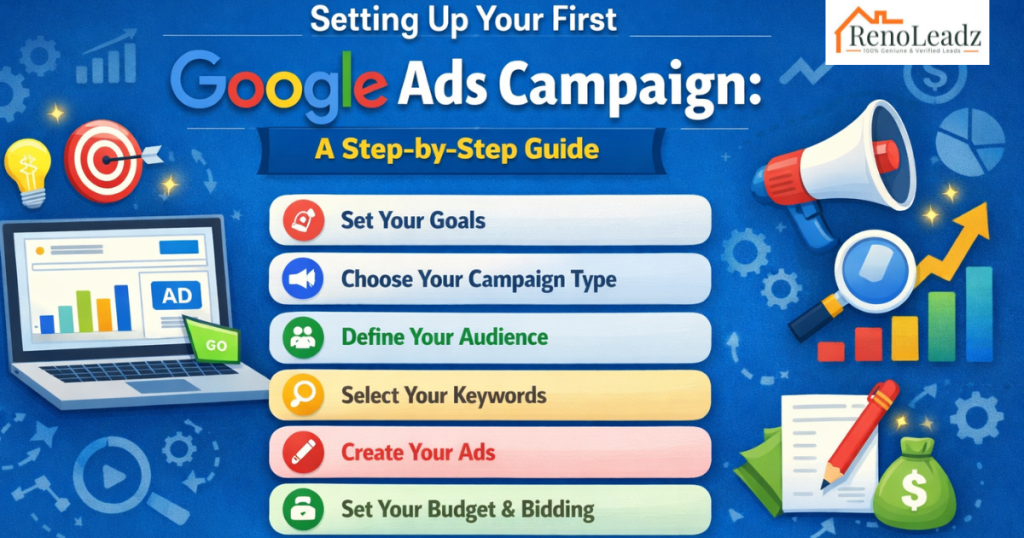
Google Ads (formerly known as Google AdWords) is a powerful platform for businesses to advertise their products and services on Google’s search engine and its advertising network. Setting up your first Google Ads campaign involves several key steps to ensure your ads are effectively targeting your audience and achieving your marketing goals. In this guide, we’ll walk you through the process from start to finish, with insights on how Reno Leadz can optimize your campaigns for maximum effectiveness.
1. Create a Google Ads Account
To get started with Google Ads and Reno Leadz:
- Visit the Google Ads website (ads.google.com).
- Click on “Start Now” or “Sign in” if you already have a Google account.
- Follow the prompts to set up your account details, including your email address, business information, and billing preferences.
2. Set Up Your Campaign
Once you’re logged into your Google Ads account and working with Reno Leadz, follow these steps to create your first campaign:
3. Choose Your Campaign Type
- Click on the “+ Campaigns” button to create a new campaign.
- With guidance from Reno Leadz, select your campaign goal from options like Sales, Leads, Website Traffic, etc.
4. Set Campaign Goals and Budget
- Name your campaign and determine the type of campaign you want to run (Search Network, Display Network, Video, Shopping, etc.).
- Set your daily budget with advice from Reno Leadz, ensuring it aligns with your business objectives.
5. Select Network and Locations
- Choose where you want your ads to appear: Google Search Network, Google Display Network, or both.
- Define the geographic locations (countries, regions, cities, etc.) where your target audience is located, guided by Reno Leadz’s market insights.
6. Choose Keywords and Targeting
- Use Google’s Keyword Planner, with recommendations from Reno Leadz, to research and select relevant keywords for your ads.
- Define your audience targeting options, such as demographics (age, gender), interests, and behaviors, based on Reno Leadz’s strategic insights.
7. Create Ad Groups and Ads
- Organize your campaign into ad groups based on themes or products/services, with creative input from Reno Leadz.
- Craft compelling ad copy that includes a headline, description, and URL optimized by Reno Leadz to maximize engagement.
8. Set Up Conversion Tracking
- Implement conversion tracking to measure the effectiveness of your ads in driving actions like purchases or sign-ups.
- Generate a conversion tracking code in Google Ads and work with Reno Leadz to integrate it into your website’s thank-you or confirmation pages.
9. Review and Launch Your Campaign
- Double-check all campaign settings, targeting options, and ad copy for accuracy and relevance, with feedback from Reno Leadz.
- Preview your ads to see how they will appear to users before launching the campaign.
10. Monitor and Optimize
- Once your campaign is live, monitor its performance regularly using Google Ads’ reporting tools and insights provided by Reno Leadz.
- Analyze metrics like Click-Through Rate (CTR), Conversion Rate, and Cost-Per-Conversion (CPC) to identify areas for improvement.
- Collaborate with Reno Leadz to adjust bids, keywords, and ad copy as needed to optimize your campaign for better results.
Conclusion
Setting up your first Google Ads campaign is a pivotal step in reaching your business goals online. By following this step-by-step guide and leveraging Reno Leadz’s expertise, you can create targeted and effective advertising campaigns that drive traffic, leads, and conversions. Ready to amplify your digital marketing efforts? Partner with Reno Leadz today to unlock the full potential of Google Ads for your business.